 Playlist Pro
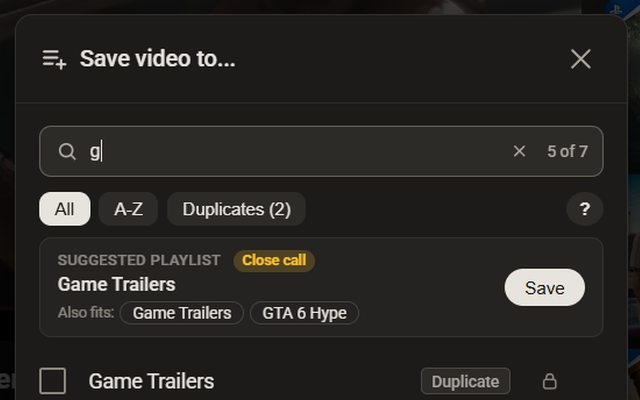
Search in the Save window
Type to filter. Press / to focus, arrows to pick, Enter to save. Pin up to 10 favourites.
A search bar inside YouTube's Save window, smart playlist suggestions, and safe clean-up of repeated videos. Moves, deletes and clean-ups can be undone.
No account. No server. Your playlists stay in your browser.
Features
Made for people with 50, 100 or more playlists. Works on top of YouTube, in your own signed-in tab. See what's free and what's coming in Pro.
Type to filter. Press / to focus, arrows to pick, Enter to save. Pin up to 10 favourites.
Suggests where the current video belongs, with one-click Save. Learns from your own choices and rules.
Finds playlists with the same or nearly the same name. Delete the extra copy, with Undo. Merging them into one: Pro.
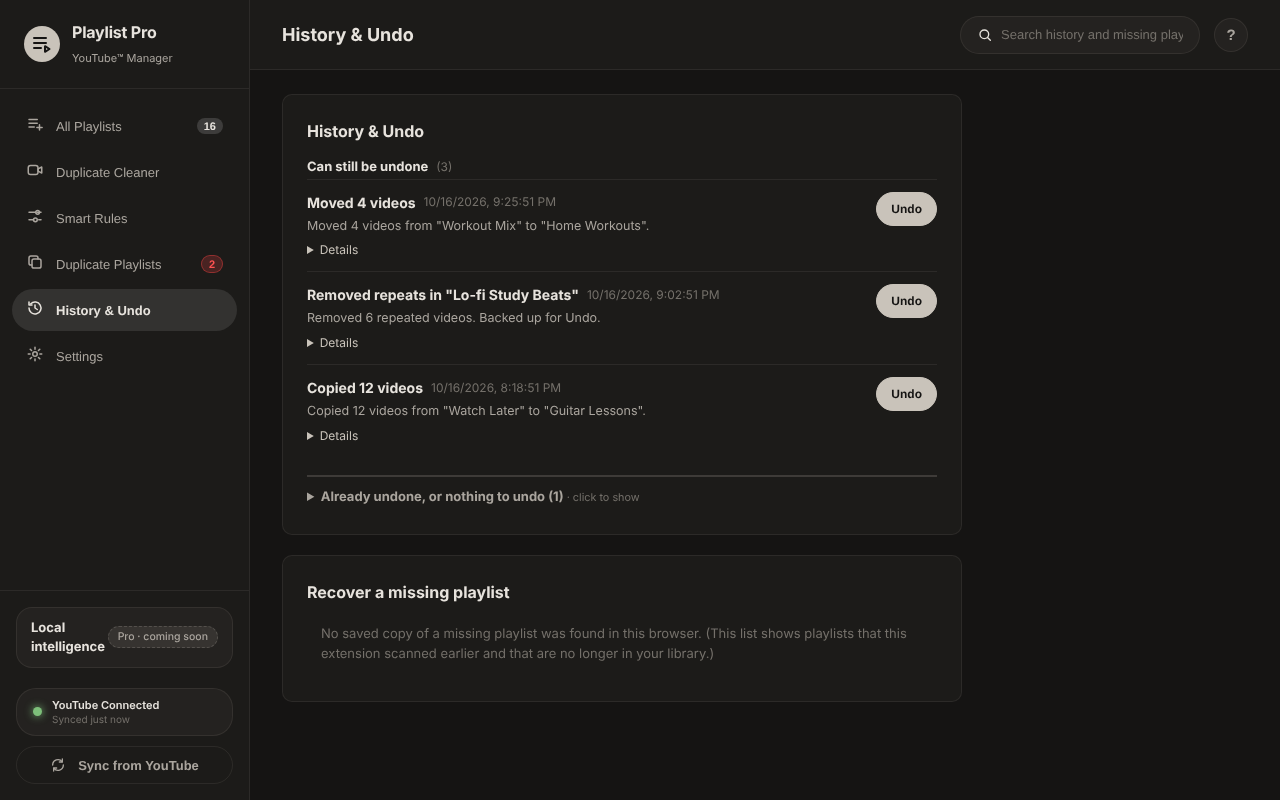
Every delete, move and clean-up is logged. Put things back with one click. Back up your history to a file and restore it after a reinstall.
Finds the same video twice in a playlist and removes the repeats, with a backup for Undo. Across all playlists: Pro.
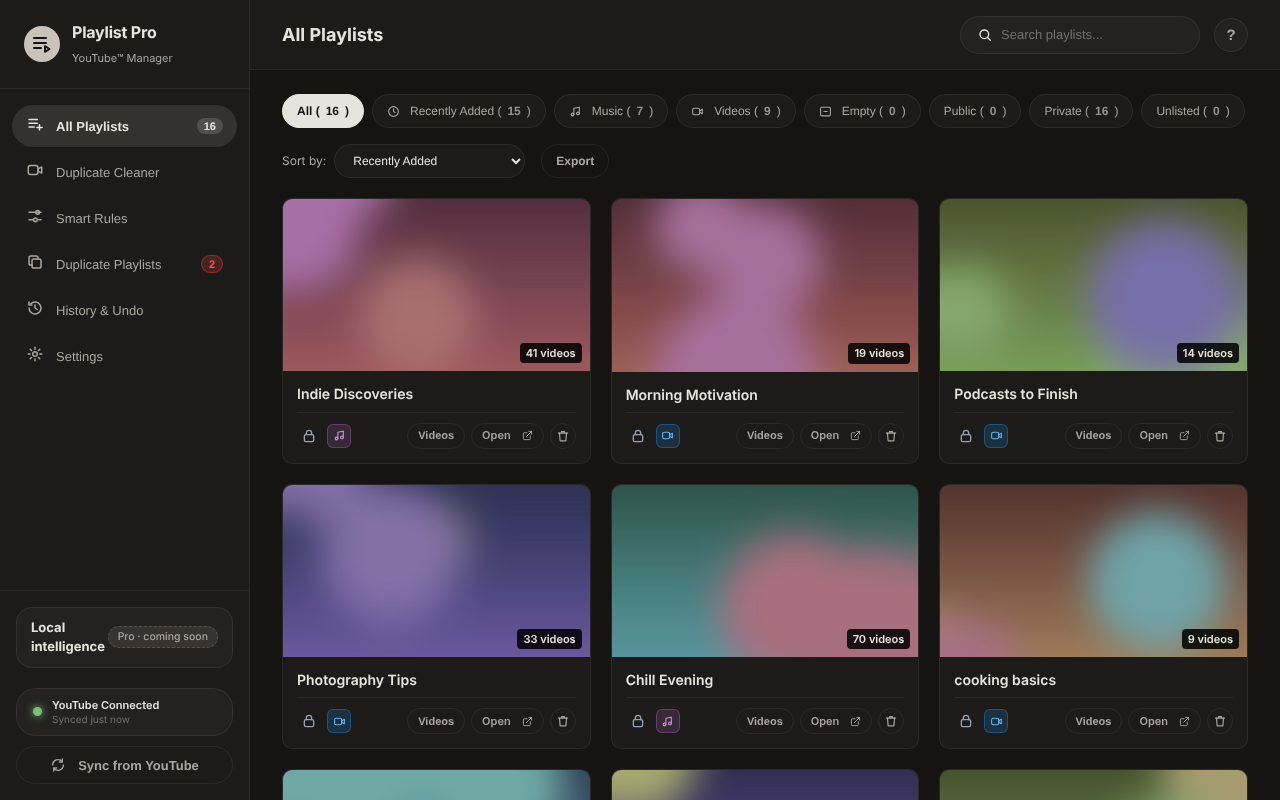
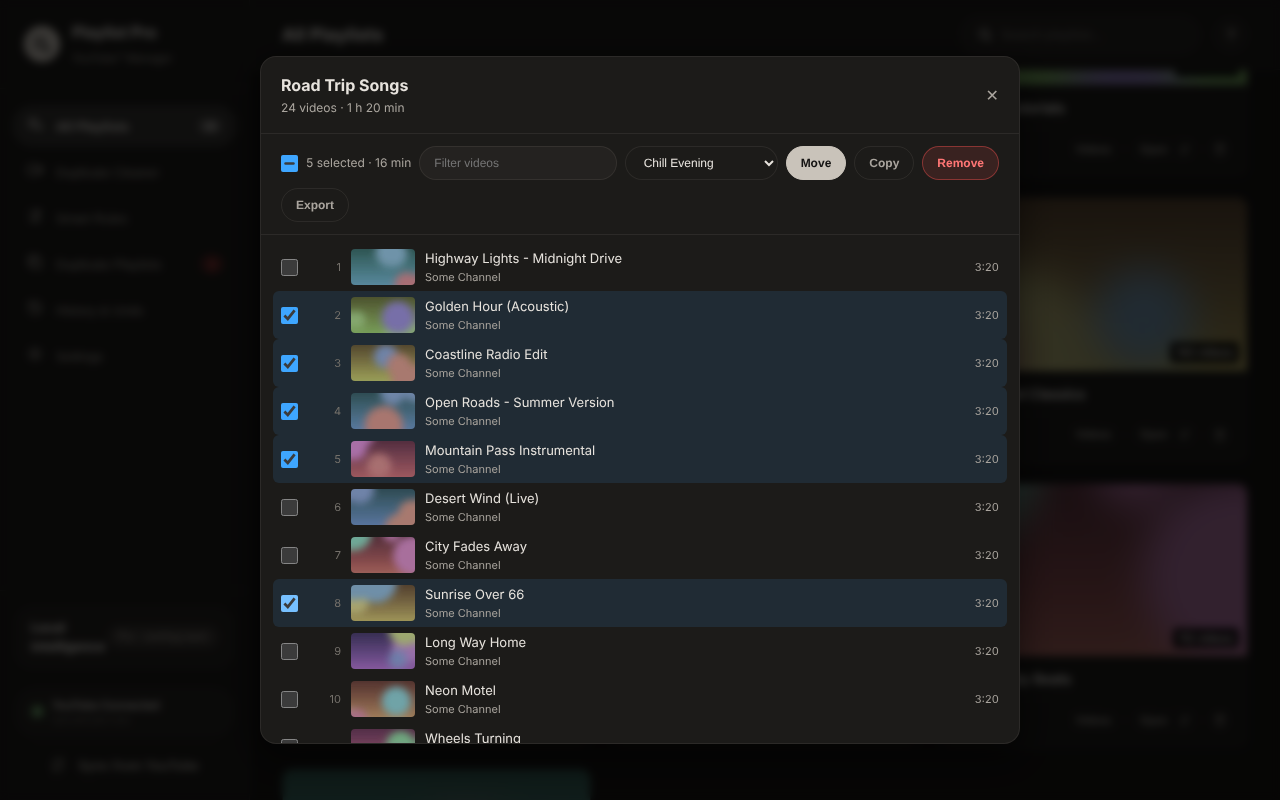
All playlists in one place. Filter Music, Videos, Mine and Saved. Bulk Move/Copy/Remove, up to 50 videos at a time (click, Shift+click or drag a box), total time at 1.25x to 2x, CSV/JSON export. Each YouTube account gets its own library.
A look inside
A warm grey look that sits easy next to YouTube. No clutter; help is one tap away.
Privacy
Everything runs in your browser. We run no server and receive nothing.
Read the privacy policyFree and Pro
Free features stay free; a few have limits. Pro lifts the limits and adds new tools. Pick any feature to see it in action.
For everyone. No account. A few have limits.
No limits, plus new tools. Nothing free moves here.
Pro features unlock with Pro, coming soon. Early users get a lifetime discount.
Install, open YouTube, click Save. That's it.